
Production
 Media organizations require powerful tools to efficiently consolidate and produce content across various platforms. winMedia Editor is specifically designed to meet the needs of journalists, reporters, and producers, providing a versatile solution for interviews, reportages, and rapid editing workflows. With robust ingest and production capabilities, users can seamlessly import content from a variety of sources, including voice recordings, phone calls, live feeds, and memory cards. This imported content is automatically indexed and instantly available in the content catalog, streamlining workflows and enabling quick turnarounds.
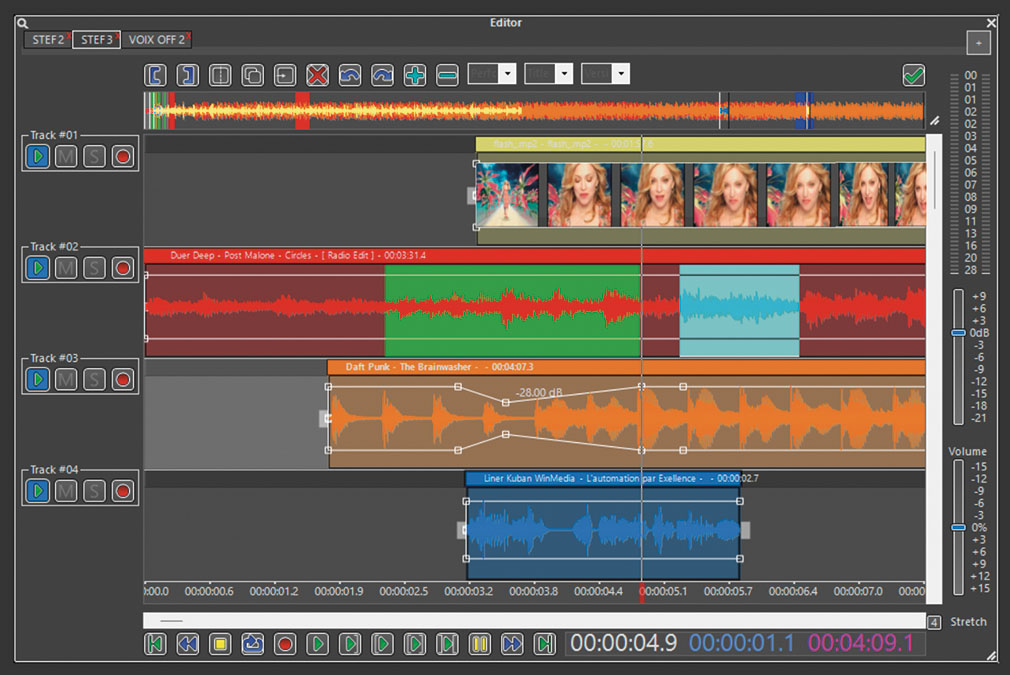
Editor
Editor
Media organizations require powerful tools to efficiently consolidate and produce content across various platforms. winMedia Editor is specifically designed to meet the needs of journalists, reporters, and producers, providing a versatile solution for interviews, reportages, and rapid editing workflows. With robust ingest and production capabilities, users can seamlessly import content from a variety of sources, including voice recordings, phone calls, live feeds, and memory cards. This imported content is automatically indexed and instantly available in the content catalog, streamlining workflows and enabling quick turnarounds.
The module features a non-destructive, fast-editing multi-track environment, fully integrated into the winMedia software and library, enabling immediate access to assets without time-consuming imports or transfers. It supports up to 32 tracks, including 1 video track and 31 audio tracks, making it ideal for TV production. Users can store their multi-track projects within the library for later rendering, providing flexibility and efficiency in production workflows.
winMedia Editor also incorporates advanced features such as speech-to-text transcription, which creates a text-based timeline. Editors can work directly with the text, performing operations like cut, copy, and paste, which are mirrored in both the video and audio tracks. This innovative approach allows for highly efficient editing, particularly in newsrooms or environments requiring rapid turnaround.
The intuitive drag-and-drop interface enables precise operations such as trimming, cutting, normalization, and automatic silence removal. Additionally, built-in audio effects, including reverb, equalization, and dynamic compression, deliver broadcast-quality results.
With its seamless integration, advanced capabilities, and user-friendly design, winMedia Editor empowers media professionals to efficiently create, edit, and finalize content, making it an essential tool for fast-paced production environments.
Recorder
Prod gives you a vast array of ingest tools to import content from various sources and formats. Whether automatically or manually, all content is ingested, indexed and made immediately available in the content catalog.
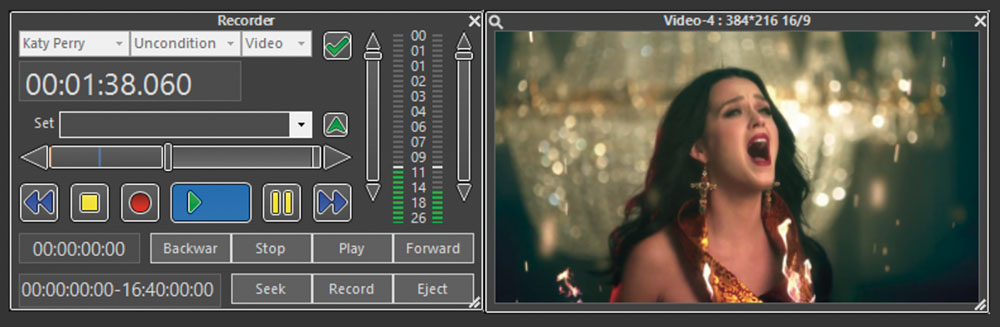
Instant Record
Seamless ingestion of content is crucial for media operations. The Ingest module of winMedia Prod provides a streamlined and efficient workflow for both manual and scheduled ingest processes, supporting a variety of sources and formats, including VTR, studio feeds, Satellite, Cable, Terrestrial DVB, and more.
Media Ingest
The scheduled ingest feature allows users to manage multiple inputs dynamically, automatically switching between audio and video feeds based on the schedule. This intelligent input management optimizes resources, enabling the maximum number of recordings with the minimum number of inputs.
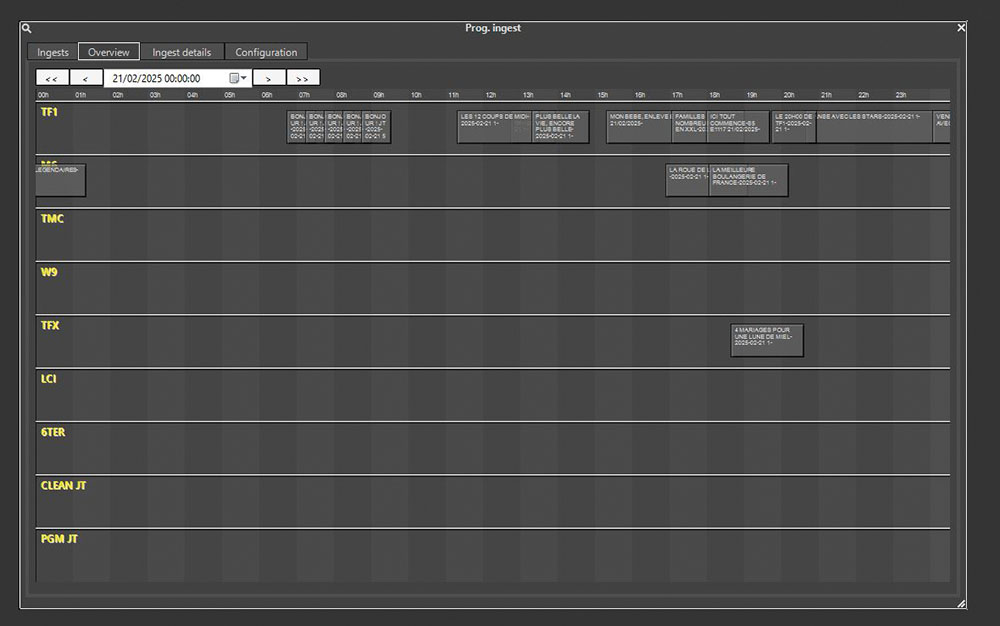
Scheduler
By requiring less hardware and computing power, the system significantly reduces costs and provides a more sustainable solution for customers.
Tight integration with NLEs
Thanks to its open architecture, winMediaboosts integration with a wide range of third-party systems to deliver deeper integration and complete interoperability with NLEs (including Avid Media Composer, Adobe Premiere, Final Cut Pro or Sony Vegas) and production media asset such as Emam or CatDV platforms, broadcast servers, HSM, Quality Control, storage solutions, traffic, NRCS (through MOS Gateway), as well as CMS.
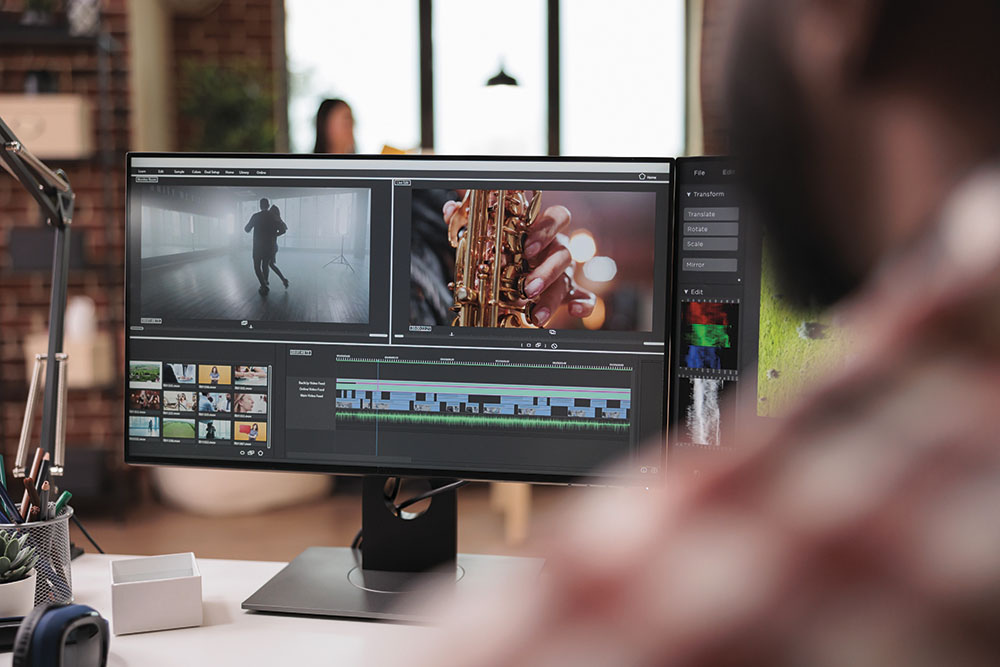
winMedia also offers control of any video grid over IP and includes a remote video switch to any camera to provide optimum flexibility in live broadcast. winMedia totally supports NDI, with video over IP.
Video Mix editing
This efficient process is vital for managing large volumes of content while ensuring quick turnarounds and maintaining high production standards. With its robust capabilities, flexible source options, real-time encoding, and resource optimization, the Ingest module of winMedia Mixer is an essential tool for modern media operations, delivering cost-effective and high-performance solutions for content acquisition.
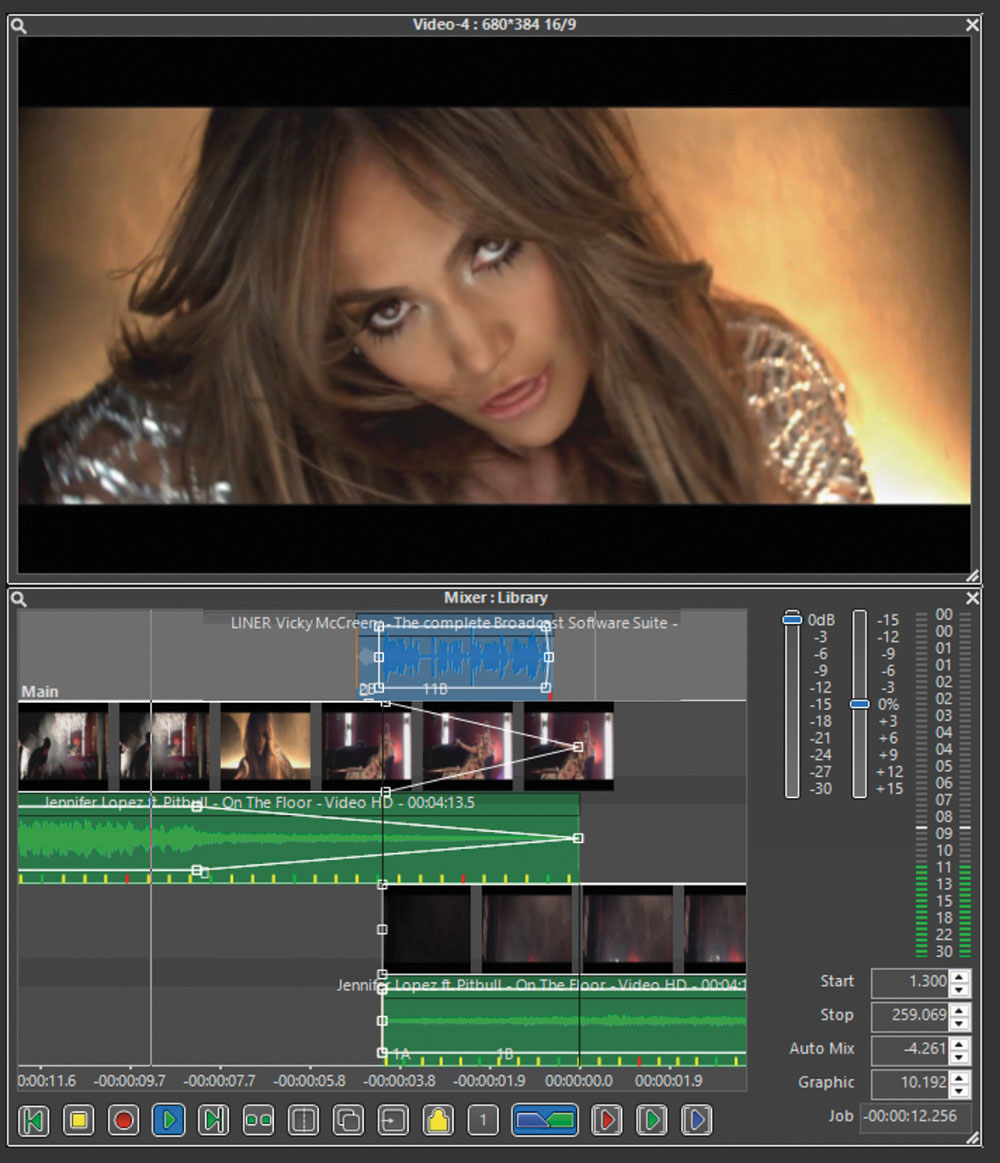
Mixer
Scheduling
Music has been purposefully designed to streamline scheduling, making it a breeze and eliminating the time-consuming nature of the task. It offers a comprehensive range of tools, including grid scheduling, music and ad scheduling, and playlist management, enabling you to efficiently construct even the most intricate broadcast schedules. From regional ad insertion to managing multiple channels, Music provides all the necessary features within a single system.
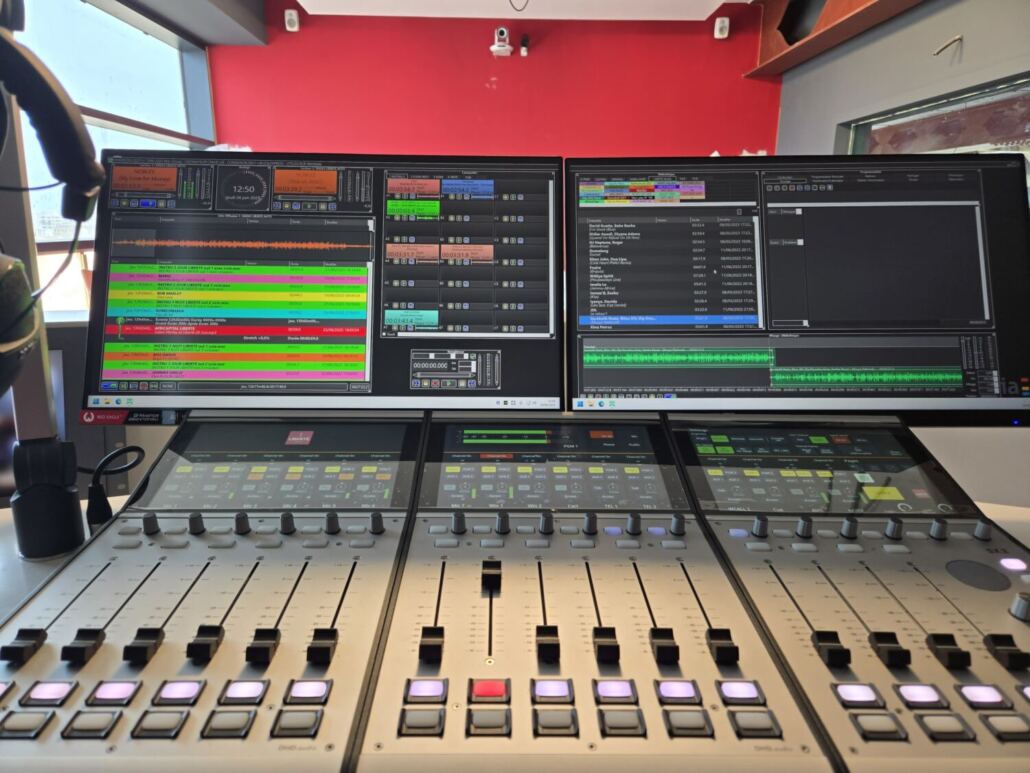
Clocks
- Create format clocks for a given period
- Assign the clock to the Grid
- Define starting modes (on time, manual, GPI)
- Manage multiple sites and channels from a single location
- Insert regional advertisement blocks
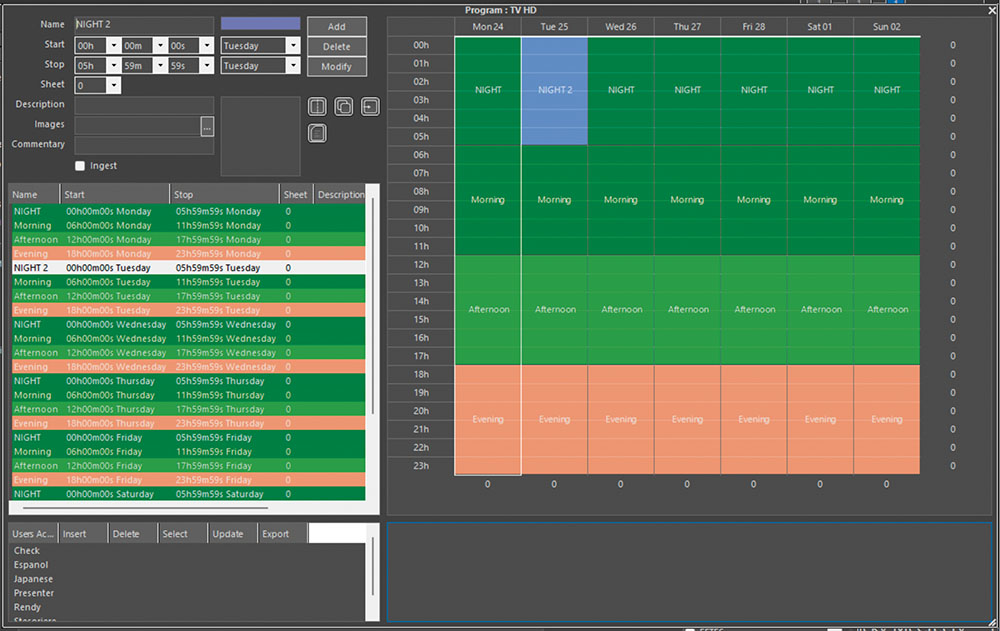
Grid Assignment
- Easily insert recurring sounds such as jingles using simple drag & drops
- Replicate schedules and speed up the scheduling process with copy, cut and paste functions
Music Scheduling
Thanks to complex mathematical algorithms, our powerful music scheduling engine helps you generate consistent music logs and offers a wide range of features such as:
- Rotation constraints
- Sequencing rules for artists, titles, composers, tempo and more
- Time slot management
- Direct access to matching songs for quick replacement
- Jingles, liners and promo scheduling
- Music log reconciliation
- Reporting and statistics
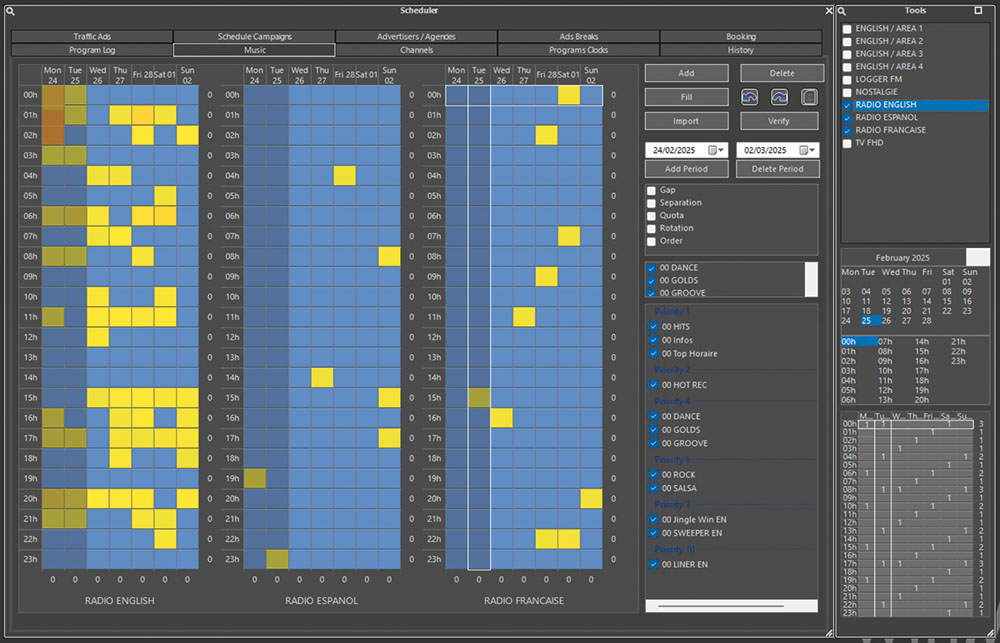
Generate multi-station
For radio operations, the Scheduler provides advanced music scheduling capabilities. Users can create and manage format clocks, schedule music and advertisements, and seamlessly insert regional ad blocks. With customizable rules, the system optimizes music rotations to prevent repetitive programming. It avoids the same songs or sequences during the day, ensures diversity for the following weeks, and supports up to three months of protection for gold titles, preserving variety in playlists.
Creating consistent and engaging schedules is a meticulous task that requires precision. winMedia Scheduler simplifies this process by providing a comprehensive set of tools for both radio and TV programming.
Contract
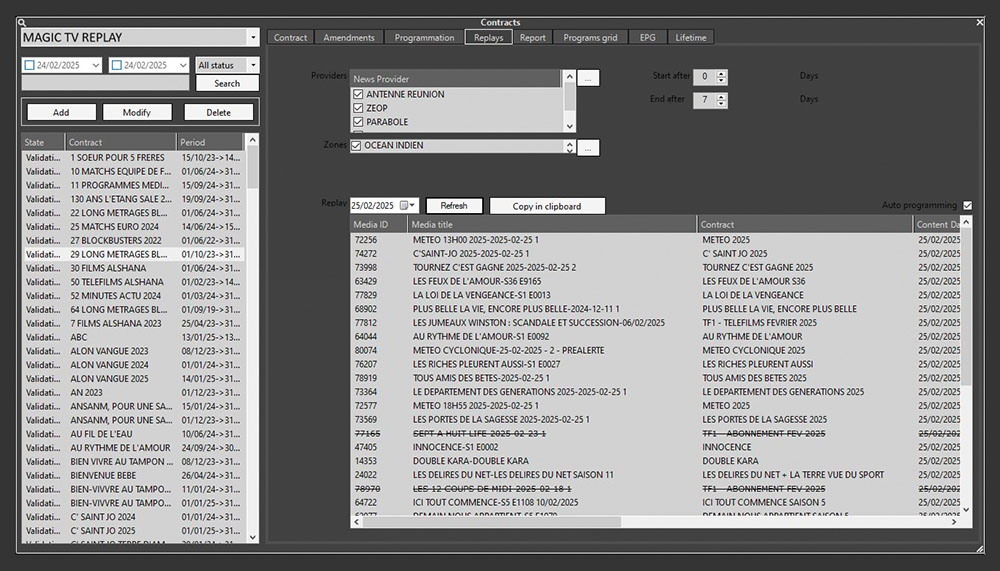
For TV operations, the Scheduler allows users to define detailed templates for shows and series, managing video content and scheduling in advance. It also includes robust tools for managing editing contracts with producers, offering functionality to track pricing, payment terms, and contract details, ensuring smooth collaboration and administrative efficiency.
Manager
Playlist
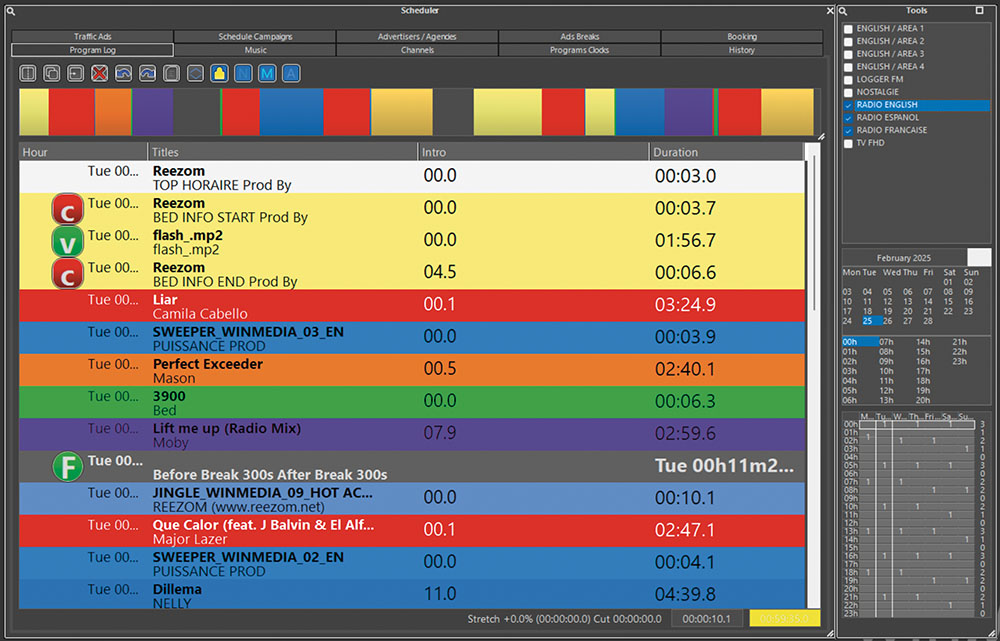
The system employs advanced algorithms to maintain rotation constraints and sequencing rules while managing time slots. Quick replacement tools are available to match scheduling needs without disrupting the flow.
Content
Additional features include jingle and promo scheduling, music log reconciliation, and detailed reporting and statistics, providing insights for data-driven decision-making.
Traffic
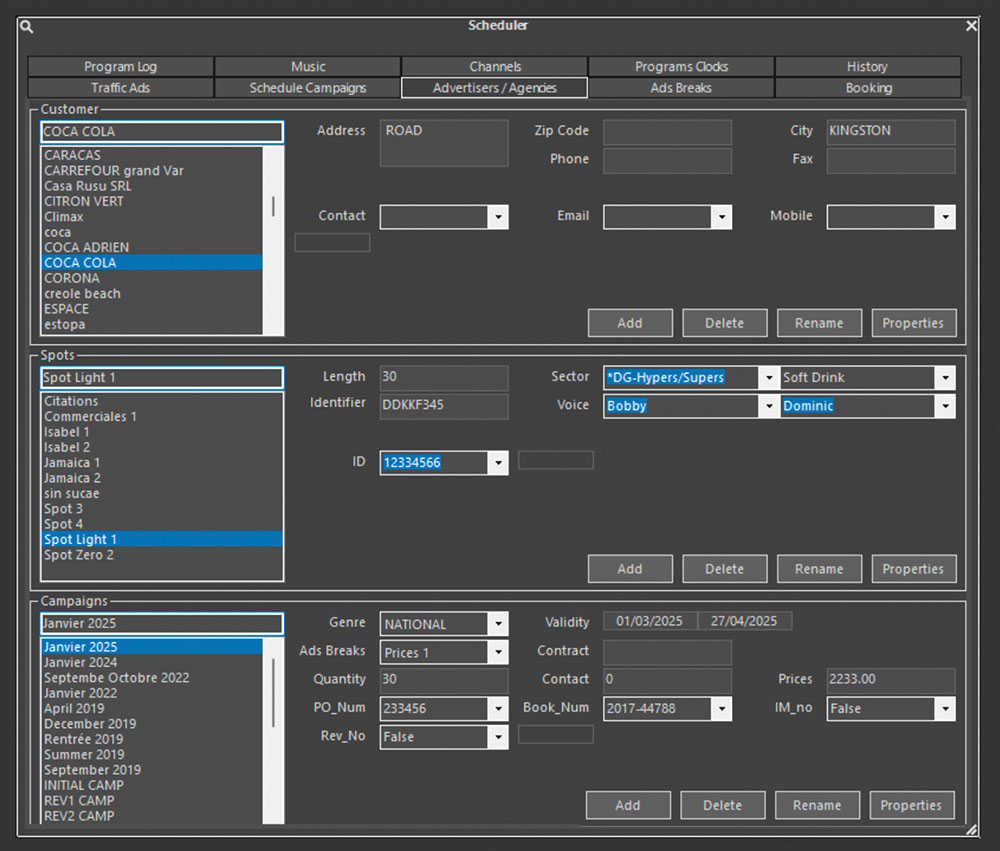
Efficiently managing advertising schedules and campaigns is crucial for media outlets. winMedia Traffic provides a powerful and flexible solution for ad scheduling, supporting both local and national radio and TV stations.
Ads Breaks
The system allows broadcasters to manage advertising across multiple regions and areas, using a main + local split configuration. This ensures precise targeting of ads while maintaining synchronization across all regions. Timing optimization is achieved through automatic filler insertion or time stretching, ensuring all areas align with the same duration. This guarantees a seamless transition between main and local breaks, maintaining consistency for audiences and advertisers alike.
Automatic Traffic
winMedia Traffic also includes tools to manage promotion spots and sponsorships, allowing broadcasters to schedule and manage sponsorships for news segments, weather reports, and traffic updates across multiple areas. These capabilities provide additional revenue opportunities and ensure optimized use of airtime for both advertisers and broadcasters.
Campaign
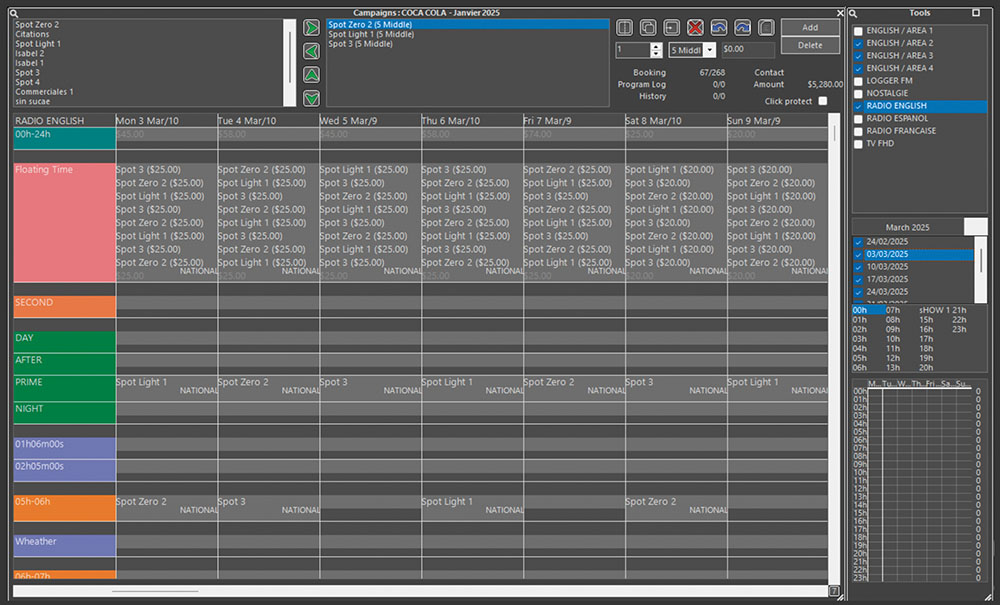
Integrated with winSales, the system simplifies campaign management with tools for client and campaign tracking, ad grid creation, and automatic spot insertion. It adheres to predefined rules, such as frequency, exclusivity, and category separation, while providing real-time alerts and visualizations to optimize operations.
Grid
Transfer
Efficient synchronization and content transfer between multiple sites are critical for large-scale media operations. winMedia Transfer provides a robust solution for managing these processes, enabling seamless synchronization of databases and media assets across multiple locations.
Transfer
The system supports bidirectional synchronization of metadata, media samples, and playlists, ensuring consistency between sites. It also facilitates contribution workflows, allowing any remote site to share programs, advertising, and content with a centralized hub. This capability is essential for streamlining operations and enabling efficient multi-site collaboration in distributed media networks.
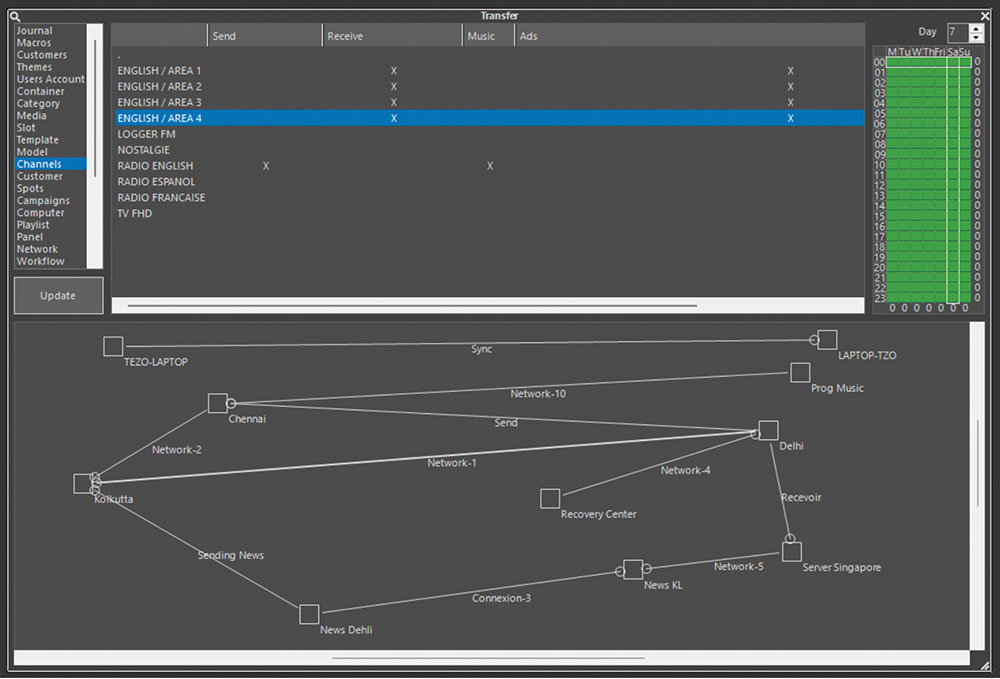
Transfer Map
winMedia Transfer uses reliable Internet technologies such as IP, VPN, and FTP, ensuring secure and efficient data transmission. Administrators can easily model and automate workflows using its powerful transfer engine, optimizing processes for different operational needs. This includes prioritizing specific data transfers, scheduling updates, and ensuring minimal downtime during synchronization.

On-Air
Ensuring reliable and flexible on-air performance is crucial for both radio and television broadcasters. winMedia Playout addresses this need by offering a versatile playout system that adapts to different broadcasting environments depending on the selected configuration. winMedia Playout can also be deployed in a cloud environment, providing increased flexibility and reducing infrastructure costs. With this option, broadcasters can manage their playout remotely and benefit from optimal scalability according to their needs.
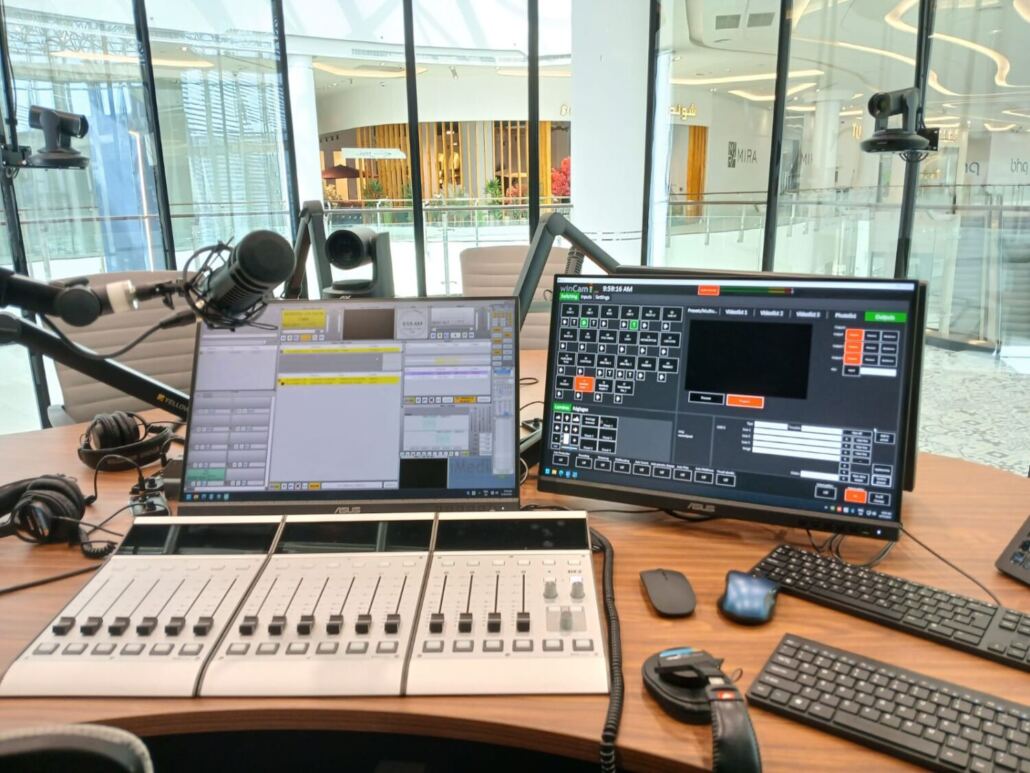
For radio
The scheduled ingest feature allows users to manage multiple inputs dynamically, automatically switching between audio and video feeds based on the schedule. This intelligent input management optimizes resources, enabling the maximum number of recordings with the minimum number of inputs.
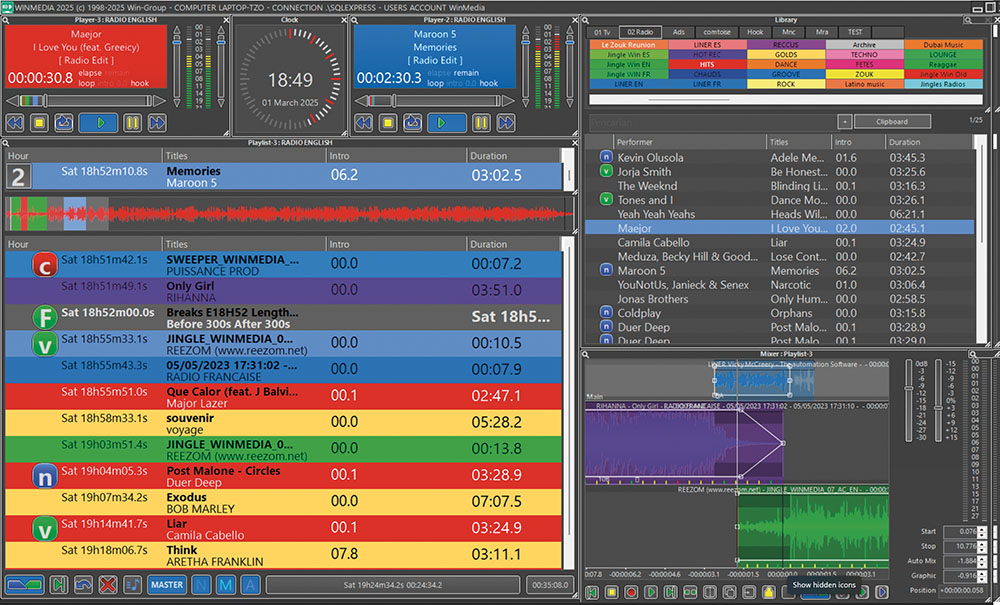
Player Radio
By requiring less hardware and computing power, the system significantly reduces costs and provides a more sustainable solution for customers.
For television
the system supports mixing and seamless playout of multiple file formats, ranging from HD and FHD to 4K, ensuring broadcasters can work with high-quality video content without compatibility issues. It offers flexible output options, including SDI, NDI, and SMPTE 2110, to seamlessly integrate into both traditional and IP-based workflows.
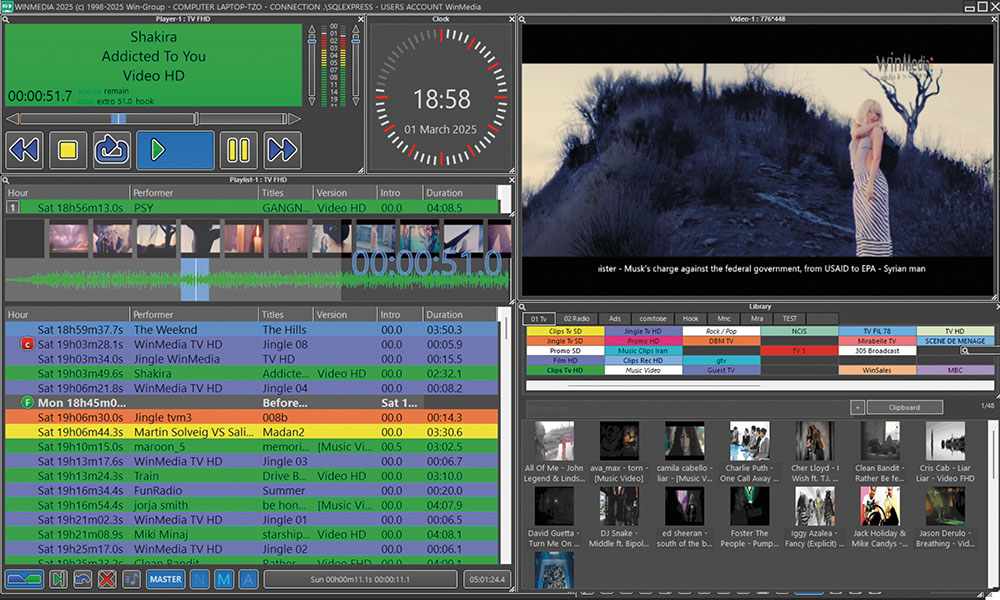
Playout Tv
Furthermore, winMedia Playout supports multiple graphics layers, enabling real-time integration of overlays, tickers, branding elements, and other on-screen graphics.
Managing on-air content efficiently is vital for both radio and TV stations. The Cartridge feature in winMedia Playout serves as an instant player, allowing broadcasters to trigger audio or video clips in real-time with a simple key press. Designed for live operations, it provides an intuitive interface that enables quick access to preloaded content, making it ideal for jingles, sound effects, video inserts, and other rapid playback needs.

For radio
The system acts as a hotkey-based audio player, supporting fade setup and sequence management for smooth transitions. Multiple instances can be launched, ensuring each operator has direct access to customized soundboards.
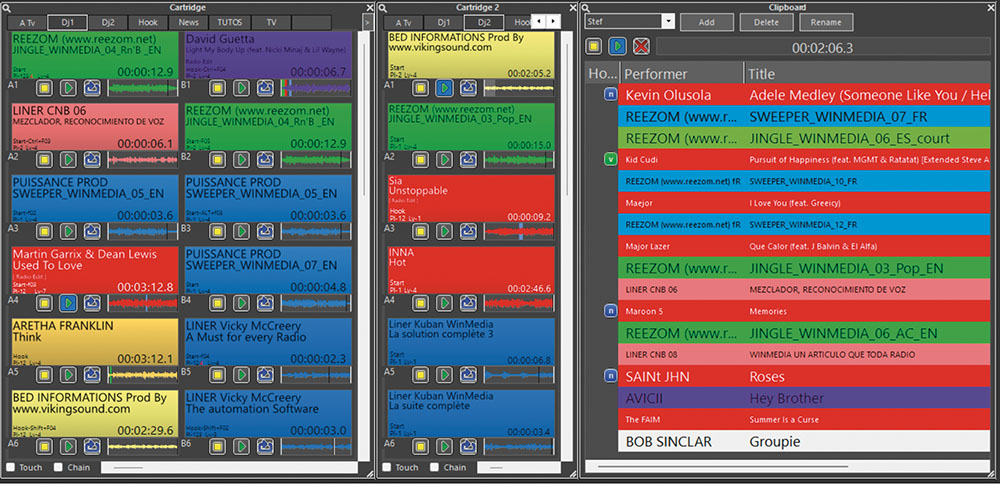
Hotkeys Radio
To prevent disruptions, the system preloads sound locally to handle network failures and includes disaster recovery options, ensuring uninterrupted operation.
For television
The Cartridge tool extends to instant video playback, allowing operators to trigger preloaded clips such as graphics, lower-thirds, short promos, and emergency inserts. It supports various video formats, ensuring compatibility with SDI, NDI, and SMPTE 2110 workflows.
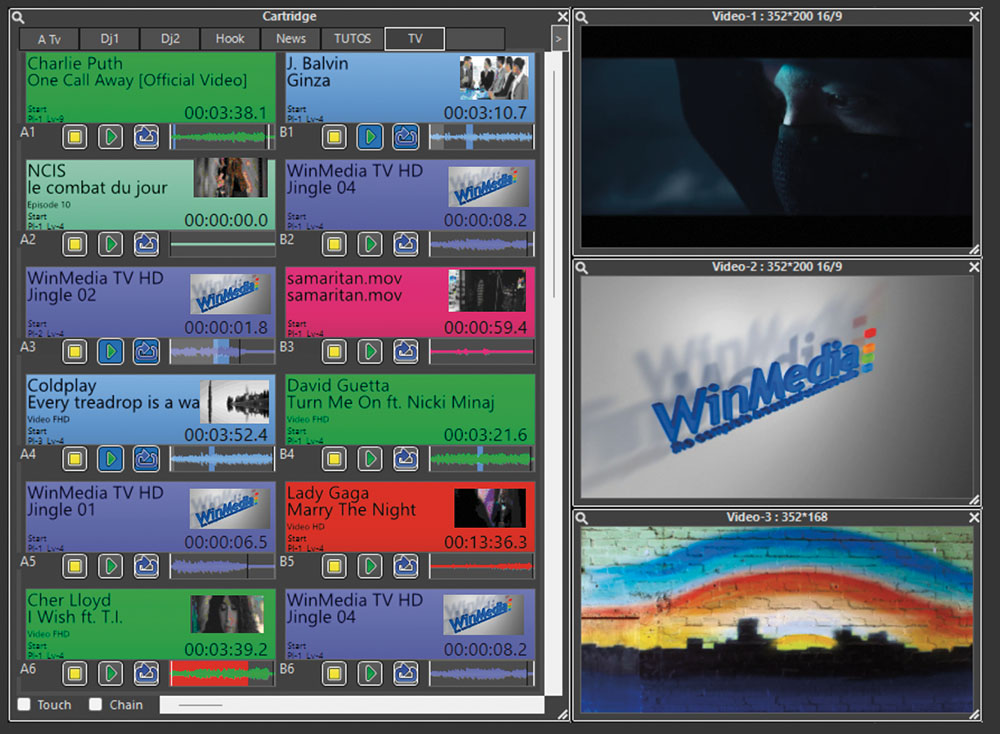
Instant Play
This feature is crucial for live productions that require on-the-fly media playout without the need to pre-schedule content.
In today’s fast-paced broadcasting environment, delivering dynamic, high-quality on-air graphics is essential for engaging audiences and enhancing the visual experience. Timeline, an advanced feature within winMedia Playout, provides a powerful, automated, and flexible toolset for designing, managing, and playing out real-time graphics seamlessly.
Seamless Integration & Multi-Layered Graphics
Fully integrated within the winMedia ecosystem, Timeline enables broadcasters to design multi-layered, high-impact graphics that support a variety of on-air elements, including:
- Multilingual crawls for news, alerts, or promotions
- Animated logos and branding elements
- Real-time clocks, countdowns, and live data integration
- Lower-thirds, overlays, and Picture-in-Picture (PiP) displays
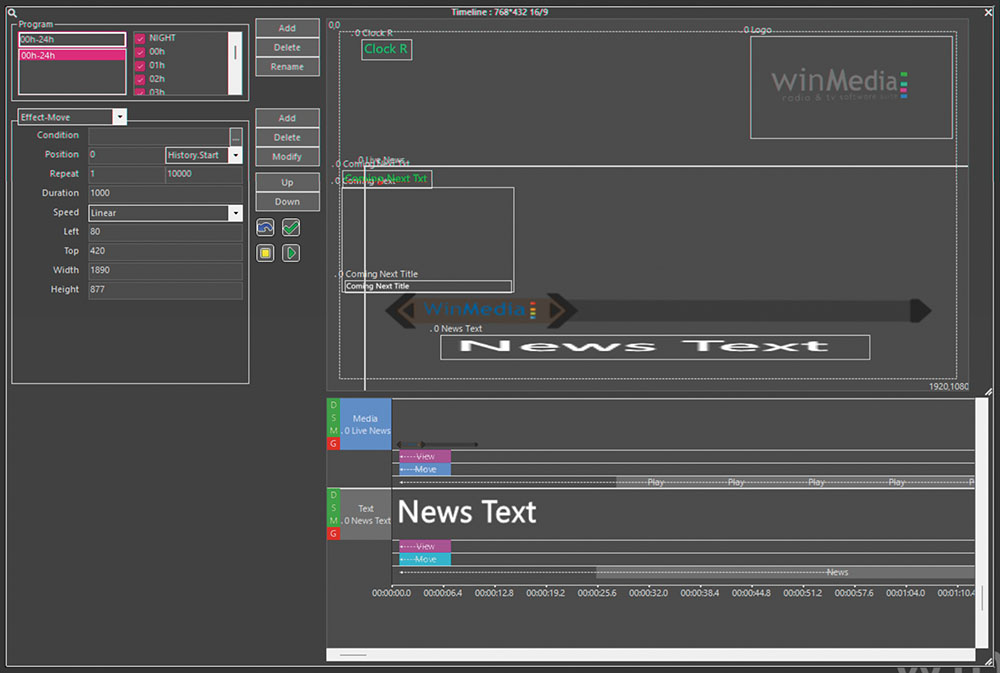
Designed for global broadcasters, Timeline supports a wide range of languages, including Arabic, Chinese, and other complex scripts. It offers:
- Right-to-left scrollingfor Arabic and other RTL languages
- Vertical scrollingfor Chinese and other languages with top-to-bottom text flow
- Multi-language supportwithin the same broadcast for international programming
This ensures that text-based graphics are displayed naturally and correctly, improving accessibility for diverse audiences.
Transparency & Cropping Management for Customizable Layouts
To ensure full creative flexibility, Timeline offers advanced transparency management, allowing broadcasters to overlay graphics seamlessly while blending them smoothly with on-air visuals. Additionally, the cropping tool provides precise control over content framing within templates, enabling:
- Custom-sized PiP windows
- Selective visibility of images and videos
- Professional composition of complex layouts
This ensures that on-screen elements maintain a clean, polished, and professional appearance at all times.
Picture-in-Picture (PiP) & Multi-Format Graphics
With Timeline, broadcasters can create Picture-in-Picture (PiP) layouts to show:
- Live video feeds (e.g., live reports, interviews, multiple
camera angles) - Next-in-line content previews
- Dynamic secondary video layers
In addition to traditional text-based graphics, Timeline supports multiple content formats:
- Text-based graphics for news tickers, captions, and alerts
- Images (PNG, JPEG, and other formats) for branding and overlays
- Video files (MP4, MOV, etc.) for animated elements and interactive storytelling
Publish
Managing and distributing text-based metadata and associated data efficiently is essential for modern radio and TV broadcasters. The Publish module in winMedia automates the process of exporting and updating real-time information, ensuring seamless synchronization across multiple platforms while enriching the audience experience with visual elements.
Users can set up automated publishing scenarios, defining update frequencies and data distribution rules to ensure that text-based information, along with images and graphics, is delivered in real time. Whether for broadcast, satellite, digital radio, or online platforms, winMedia Publish ensures that all associated metadata is correctly formatted and distributed without manual intervention.
For Digital & Online Platforms
- Advanced RSS/XML feed support, ensuring seamless integration with websites, mobile apps, and aggregators for news, schedules, or promotional content.
- Image integration, allowing thumbnails, banners, or extracted video keyframes to be published alongside metadata, improving engagement on digital platforms.
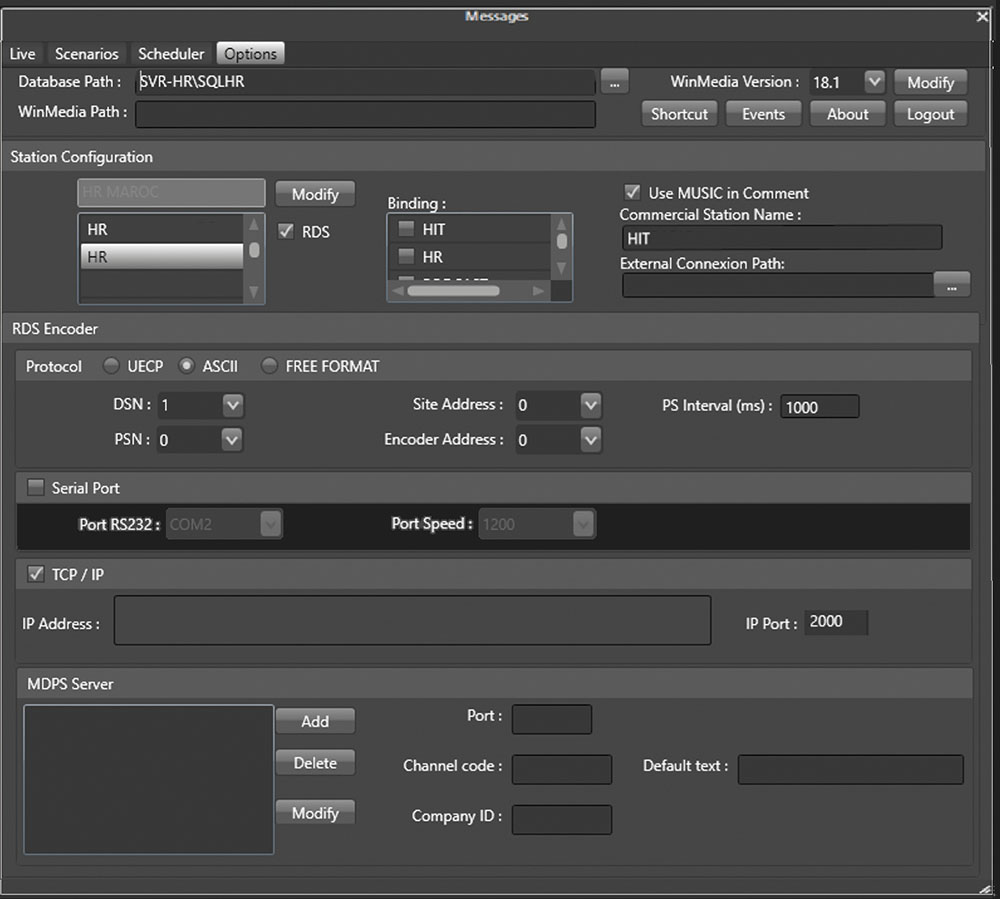
By automating metadata management, text-based data distribution, and visual content integration, winMedia Publish ensures that broadcasters can deliver accurate, real-time updates enriched with imagesacross FM, digital radio, satellite, TV, and online platforms—without requiring constant manual input.
For Television
- EPG (Electronic Program Guide) export, allowing TV broadcasters to schedule and distribute program metadata in advance. This ensures that TV operators, OTT platforms, and digital guides receive up-to-date details, including program descriptions, episode numbers, and scheduling updates.
- Support for visual elements, such as program logos, show thumbnails, or keyframe extraction from video, enhancing the presentation of the EPG and making it more visually appealing.
- Live text feeds for news tickers, lower-thirds, and real-time on-screen updates, making it easy to distribute weather alerts, financial updates, breaking news, or promotional messages across different output formats.
For Radio Broadcasting
- RDS traffic and live text publicationvia UECP protocol, allowing dynamic updates for FM stations.
- Associated data export for HD Radio, Satellite (Sat), and DAB+, ensuring that song titles, artist names, station branding, and real-time program details are correctly displayed on receivers.
- Cover art display, where album artwork, station logos, or promotional images can be linked to songs or programs for enhanced listener engagement on compatible receivers.
Resume
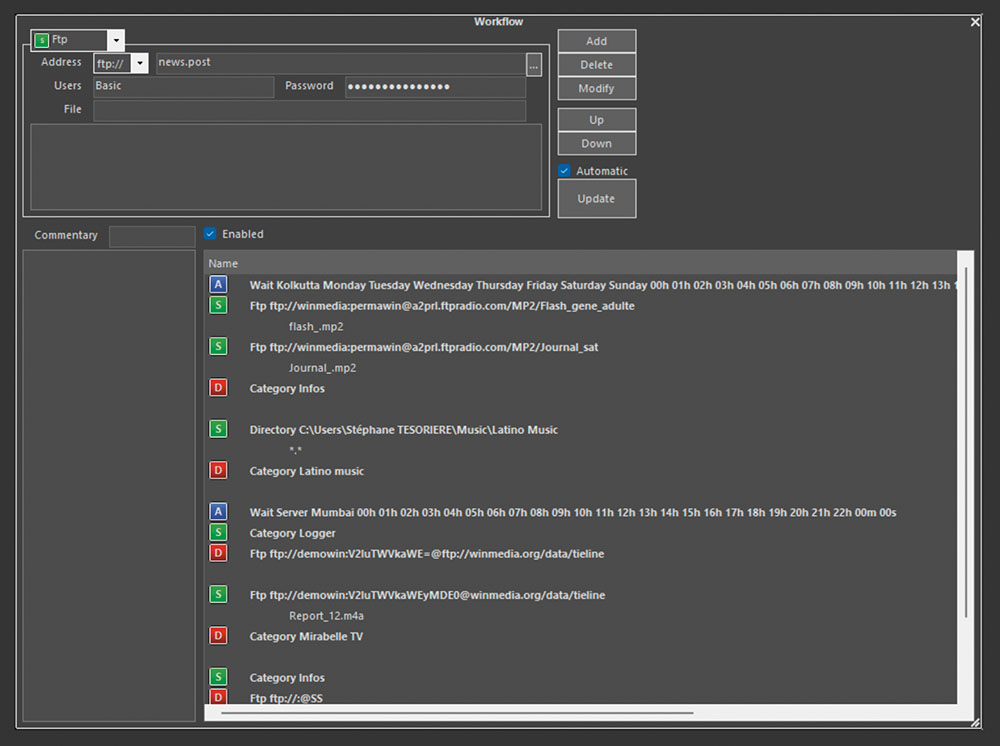
Managing the seamless movement, conversion, and distribution of media content is essential for modern broadcasters and digital platforms. The Workflow module in winMedia provides a powerful automation engine that allows users to define sources and destinations for media and metadata, enabling smart content transfers, format conversion, and automated updates.
Workflow tools
Broadcasters can automate complex media operations by setting up rules to ingest, transform, and deliver content using multiple transport methods, including:
- FTP & HTTP transfers for remote content ingestion and distribution.
- Local & network folders for organized content management.
- Category-based organization, ensuring automatic sorting and storage.
The module supports a wide range of codecs, including RTMP, SRT, DANTE, NDI, and other industry-standard formats. It also encodes content in real-time at up to 50 Mbps in various professional formats such as MXF and XDCAM, ensuring compatibility with high-quality broadcast standards. Ingested content and its metadata are immediately accessible within the system, eliminating the need for transcoding and enabling rapid indexing, logging, searching, and editing.
Advanced Conversion & Processing
- Automatic format conversion, allowing audio, video, image, and text files to be transformed into the required formats for different platforms.
- Up-scaling and down-scalingcapabilities for video and audio, ensuring content is optimized for various distribution needs (e.g., HD, FHD, 4K, compressed streaming formats).
- Metadata and XML association, ensuring the content remains enriched with structured information across all workflows.
Automated Content Updates & Distribution
- Automated content downloads to update sections of programming by replacing content based on predefined rules.
- Seamless content export for podcasts, replay, and catch-up TV, distributing media to websites, platforms, OTT providers, and syndication networks.
- Integration with Publish to handle specific content scenarios, ensuring metadata and associated information are properly formatted for different broadcasting or online distribution standards.
Key Benefits
By leveraging winMedia’s audio and video engine, Workflow allows broadcasters to efficiently ingest, process, transform, and distribute media with associated data. Whether used for automated program updates, content replacement, replay distribution, or large-scale media transfers, Workflow delivers a highly flexible and intelligent approach to media asset management.
By allowing media companies to share infrastructure and resources across sites, winMedia Transfer significantly reduces operational costs while maintaining high performance. Whether for database synchronization, media asset sharing, or contribution workflows, this tool is a key enabler for efficient, centralized, and collaborative media operations.
With its advanced capabilities, including synchronization of regional and local breaks, automated timing adjustments, management of promotional content and sponsorships, and seamless integration with sales tools, winMedia Traffic delivers a comprehensive solution for maximizing revenue while maintaining efficient, high-quality ad scheduling.